A specialized engineering team
We help you figure out
what should be built,
then we build it.
Most teams know something is slowing them down. Few know exactly what software would fix it. CoreBuilt adapts to your starting point, whether that's a complex problem, a detailed brief, or a rough idea, and ships the system that actually solves it.
You'll get a clear diagnosis of the problem, whether you build with us or not.

Engagements start with
a problem, a brief, or an idea
Team
Direct access to senior engineers
Stage
Discovery → Define → Build → Improve
Works with
Startups → Enterprise
Core philosophy
Software is the tool.
The work is understanding
what to build.
Most agencies ask, "What do you want us to build?"
We ask, "What problem are you trying to solve?"
We sit with your team, map the real workflow, and define the smallest system that will make a meaningful difference. Then we build it with the same team from start to finish.
Understand first
We map the actual workflow before suggesting a single feature.
Define the right thing
A clear scope that targets the bottleneck, not a wishlist.
Build, then improve
Ship something usable, then evolve it with what we learn in production.
What we solve
The kinds of problems people bring us.
Manual work that should be automatic
Operations that depend on someone remembering to do them, copy-paste between systems, end-of-month rituals.
Tools that don't talk to each other
Data living in five places, exports and re-imports, dashboards stitched together by hand.
Internal processes that don't scale
Onboarding, approvals, fulfillment, support. Workflows that worked at 10 customers and break at 200.
Off-the-shelf software that almost fits
A SaaS you bent into shape, with a layer of spreadsheets covering what it can't do.
A product idea without a clear shape
You know the customer and the wedge, but not which system to build first.
Data you can't actually use
Reporting that takes a week, numbers nobody trusts, decisions made on gut feel.
How we work
A short loop:
understand,
build, improve.
No five-week proposals. No discovery deck that goes nowhere. We compress strategy and engineering into one team and one cadence.
Step 01
Discovery
We listen before we propose. Conversations with the people who actually do the work. We watch the workflow, not the org chart.
Step 02
Definition
We name the real problem. A short written diagnosis of what's broken, what to build, and what to leave alone. You can act on it with or without us.
Step 03
Build
Senior engineers, no handoff. The team that scoped it ships it. Short cycles, working software in weeks, not quarters.
Step 04
Improve
Software is never finished. We stay involved after launch, measure what changed, sharpen what didn't, and keep removing friction.
What we end up building
Custom software development, shaped by your problem.
These aren't services you pick from a menu. They're the shapes our work usually takes once we understand the problem. The right answer might be one of these. It might be something simpler. We'll tell you honestly.
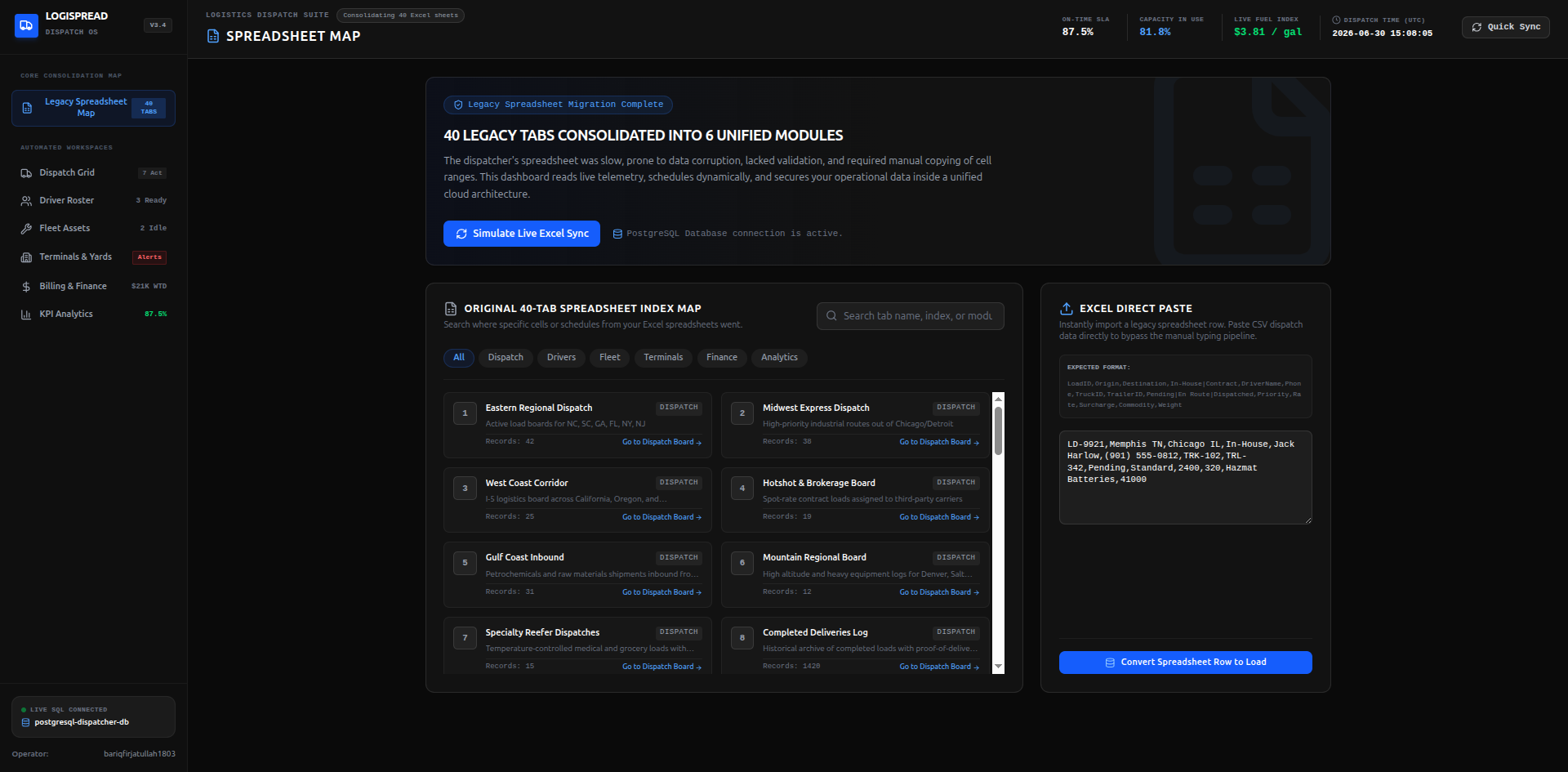
LOGISTICS
Replacing a 40-tab dispatch spreadsheet
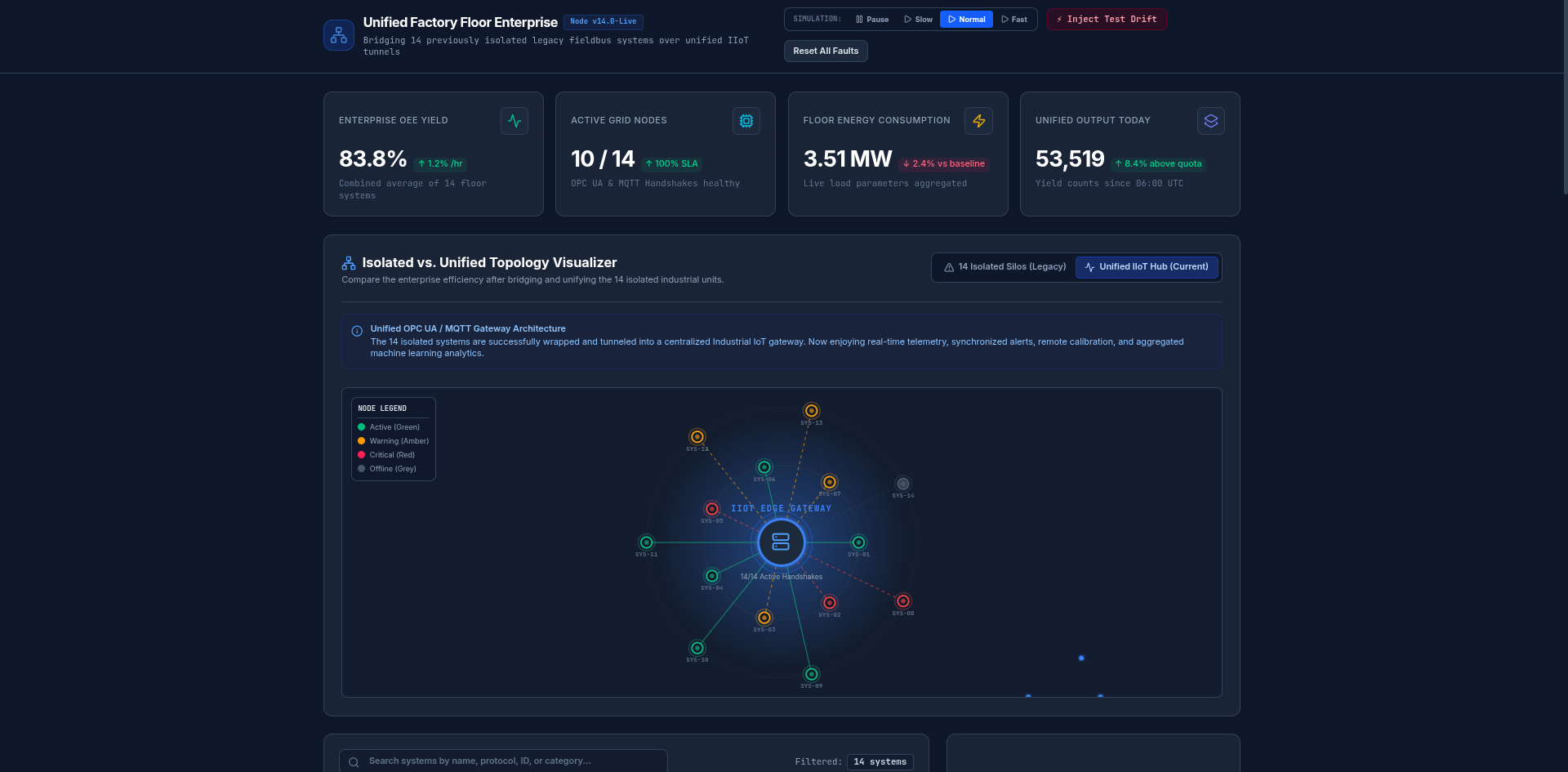
MANUFACTURING
Unifying 14 isolated factory floor systems
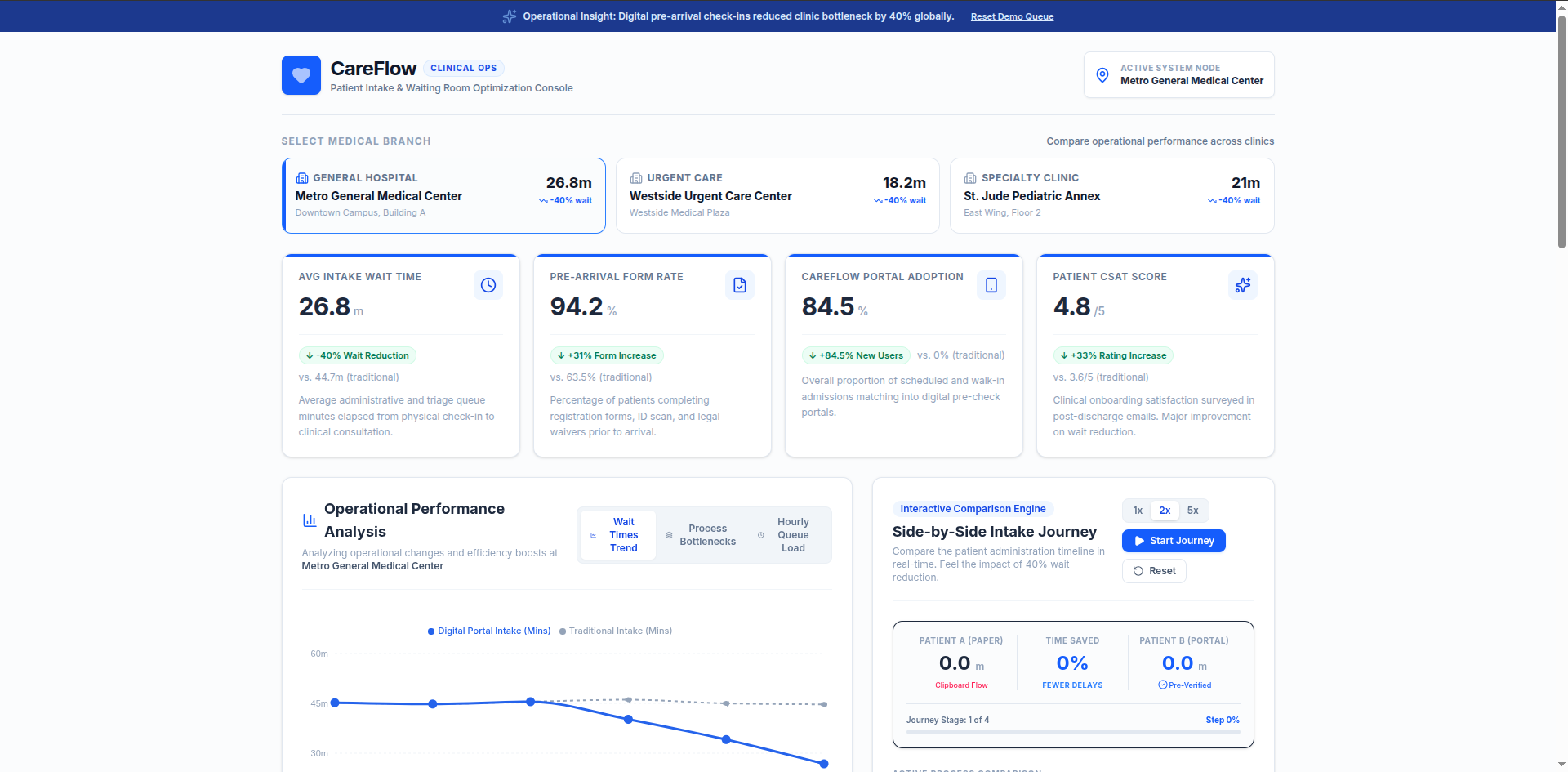
HEALTHCARE
Patient intake portal that cut waiting times by 40%
Why teams choose CoreBuilt
Senior engineers only
Experienced, vetted, and passionate about building great software.
No account layer
You work directly with the people doing the thinking and building.
Strategy + build in one team
We figure it out together, ship it together, and stand behind it after launch.
Right-sized solutions
We'll recommend smaller, off-the-shelf, or custom. Whatever solves it best.
They didn't just build what we asked for. They questioned it first, and what we got actually solved the problem.
Operations Director
Logistics company
The team
Who you'll
actually
work with.
No account managers, no anonymous "resources". The engineers below are the ones who scope your project and ship it.
Meet the team
Rangga
Backend & Automation Engineer

Awdi
Frontend Engineer

Bariq
Full-Stack Engineer
FAQ
Answers to
common
questions.
Something slowing
your business down?
Tell us about it.
Email us what's broken. You'll get a clear diagnosis of the problem, whether you build with us or not.